
People counting for healthcare
People counting for hospitals and health facilities
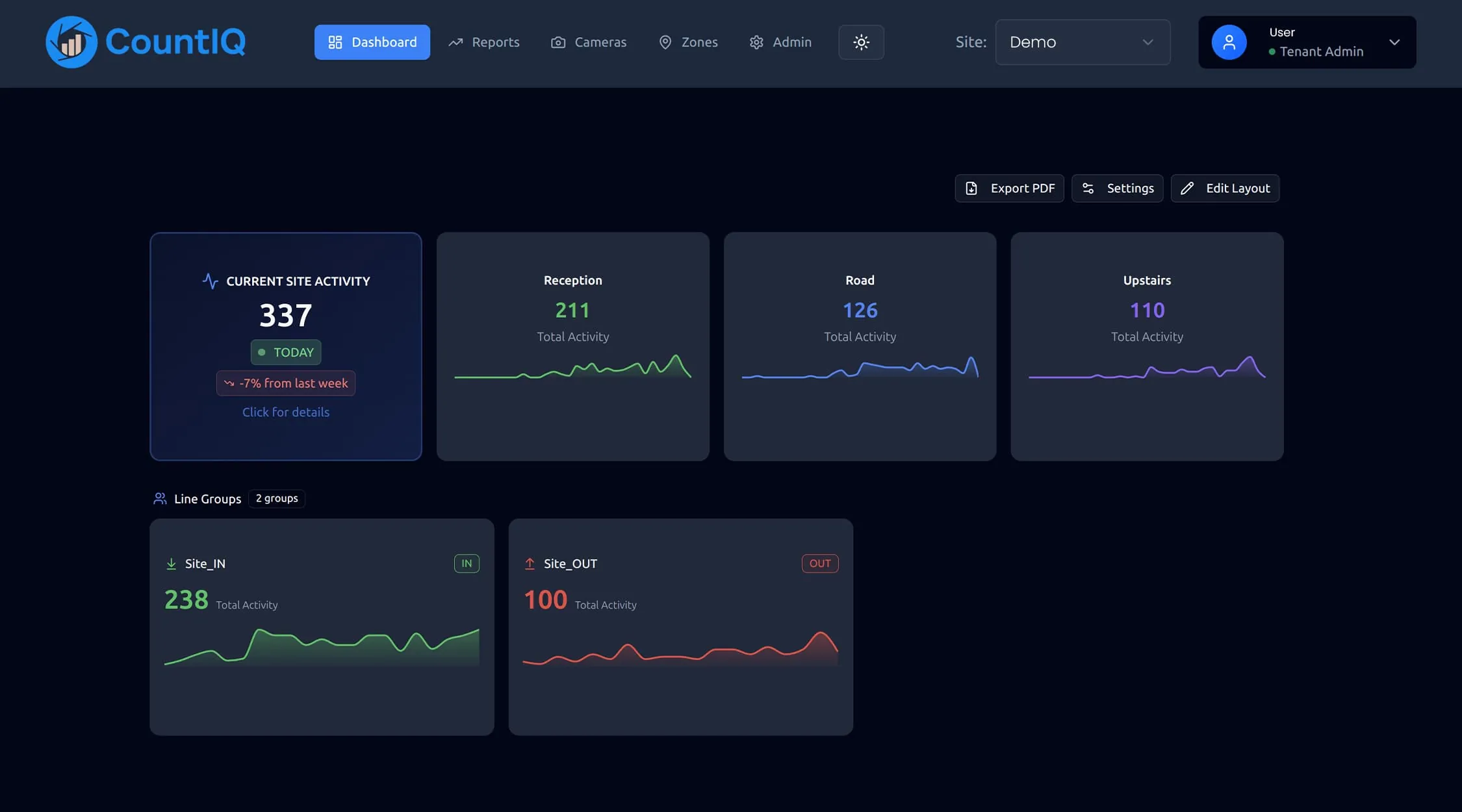
People counting in hospitals measures how many people move through entrances, waiting areas and public spaces, so facilities and operations teams can plan around real demand. CountIQ does this with compatible Axis cameras already on site, including cameras on private networks.
Why hospitals count people
Demand changes by the hour
Clinics, visiting hours and shift changes all move people through the same entrances. Hourly counts show when each one is under pressure.
Evidence for facilities planning
Long-term counts at entrances, waiting areas and public spaces support decisions about wayfinding, front-of-house cover and capital works.
No new devices on a secure network
Hospitals limit what can be added to their networks. Counting on cameras that are already approved and installed avoids introducing a new class of device.
What to measure
Counting supports operational planning. These are the figures facilities teams use.
| Metric | What it tells you | Decision it supports |
|---|---|---|
| Entries by entrance and hour | When and where people arrive | Concierge, security and cleaning rosters |
| Occupancy of waiting and public areas | How full a space is now | Overflow and capacity limits |
| Visitor pattern by day of week | Peaks around visiting hours and clinics | Front-of-house and volunteer cover |
| Long-term trend by entrance | How demand at each entrance is changing | Capital planning and wayfinding |
How CountIQ counts
- Step 1
Count at the entrance
Compatible Axis cameras count people crossing configured entrance and exit lines. Detection and counting run on the camera.
- Step 2
Bring every site together
Count data is sent to CountIQ in the cloud, where dashboards show activity and occupancy by site and zone.
- Step 3
Alert and report
Set occupancy thresholds, receive alerts and schedule reports so the right people get the numbers without asking.
Read more about how people counting systems work or see the CountIQ people counting software in detail. Planning a purchase? See people counting pricing, Axis camera compatibility and privacy.
How it has been deployed
Four public hospitals, no new cameras
With Tritech Solutions, CountIQ was deployed across four major NSW public hospitals using more than 20 existing Axis cameras. No new cameras were installed.
Read the hospital network storyPrivate camera networks
The hospitals' cameras sit on private networks. CountIQ connected to them through a dedicated proxy VM.
A threshold on a public area
Set an occupancy threshold for a monitored area and CountIQ alerts the team when it is reached.
What to check before you start
- Counting is for operational planning. It is not a clinical system and does not replace patient flow or bed management tools.
- Expect a security review. Network access and any private-network requirements are assessed during setup.
- Cameras placed for security may not see the full doorway. Some entrances may need a camera repositioned or extra coverage.
- Cameras need to be compatible Axis models running AXIS People Counter or AXIS Object Analytics. We check your existing cameras and entrance coverage before you commit.
Common questions
Why do hospitals count people?
Hospitals count people to understand demand at entrances and public areas by hour and by day. Facilities and operations teams use the figures to roster front-of-house, security and cleaning staff, manage busy areas and plan changes to the building.
Can CountIQ run on a hospital's private camera network?
Network access and any requirements for a private camera network are assessed during setup. In a deployment across four NSW public hospitals, CountIQ connected to cameras on private networks through a dedicated proxy VM.
Do we need to install new cameras?
If your existing Axis cameras and their placement are compatible, CountIQ can use them without separate people counter sensors. The four-hospital deployment used more than 20 existing cameras and no new ones. Some sites may need repositioning or extra entrance coverage.
Where does the counting happen?
Detection and counting run locally on the camera using edge processing. Count data is sent to CountIQ in the cloud, where dashboards show activity and occupancy by site and zone.
People counting for other spaces
People counting in the field
See how operations teams use CountIQ to turn the cameras they already have into reliable counts.

Ready to Start Your Automation Journey?
Our team is ready to discuss how our AI solutions can address your specific business challenges.
sales@ddilabs.ai
Location
Sydney, Melbourne, Brisbane