
Retail centre parking
Car park management for shopping centres and retail centres
Car park management in a shopping centre is mostly about keeping the closest bays free for customers. That starts with knowing which vehicles are not customers: retailer staff, centre management, contractors and all-day parkers. ParkEase handles the vehicles a centre can name, with staff and tenant parking by number plate, an allocation for each retailer, alerts with photos and occupancy reporting.
Who is actually in a centre car park
| Group | What they need | What goes wrong |
|---|---|---|
| Customers | A free bay near an entrance, for a few hours | They circle, or leave, when the close bays are already full |
| Retailer staff | All-day parking for every shift | They park at the front door because nothing stops them |
| Centre management and contractors | Reliable bays near back of house | Mixed in with customer bays and invisible in the numbers |
| Commuters and neighbours | Nothing the centre owes them | All-day parking in a car park meant for short stays |
| Delivery and service vehicles | A dock or service lane | They queue through customer areas when the dock is full |
Only the first group is the reason the car park exists. Most car park problems in a centre come from not being able to tell the other four apart from it.
Why staff parking is the place to start
- Staff arrive before customers and stay all day, so one staff car in a customer bay takes that bay out of use for every customer who would have parked there.
- Leases and centre rules often say where staff should park. Nobody can check.
- A staff plate list is something a centre can build, because each retailer knows who works for it.
- Once staff, management and contractor vehicles are known, every other vehicle is a customer or a stranger, and the numbers start to mean something.
What a centre needs from a parking system
| Need | What it takes | What ParkEase provides |
|---|---|---|
| Know which vehicles are staff | A plate list for each retailer, kept current | Tenant administrators manage their own users, bookings and reports, and staff keep their own vehicle details current |
| Give staff somewhere to park | A staff area and a share of it for each retailer | Allocation tracking per tenant, with tenant-specific limits and schedules |
| Notice vehicles that should not be there | Every plate read and checked against the rules | ANPR matching to bookings and facility rules, with instant alerts for unauthorised parking |
| Deal with it fairly | A photo, a time and a record of what was done | Photo evidence on every alert, and one-click acknowledgement with a full audit trail |
| Cope with peak trading | Different rules for weekends and busy periods | 13 configurable rule types, including weekend policies, booking limits and grace periods |
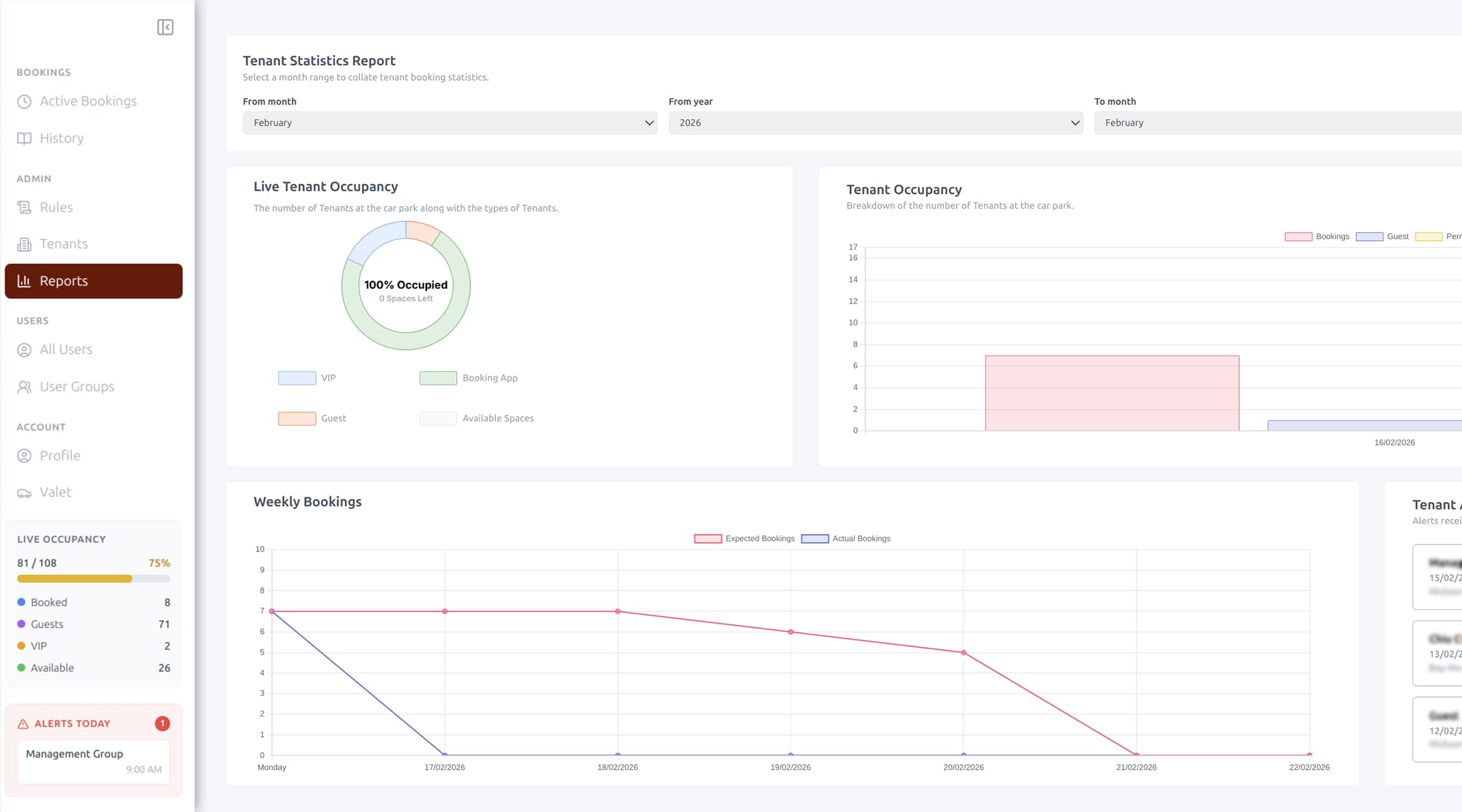
| Report to the owner | Occupancy by hour and day, and use by retailer | Occupancy trends by hour, day or week, peak usage heatmaps, tenant usage reports and downloadable PDF reports |
Where ParkEase fits and where it does not
| Car park job | Is ParkEase the tool? |
|---|---|
| Retailer staff parking | Yes. A plate list and allocation for each retailer, bookings and breach alerts |
| Centre management, contractor and reserved bays | Yes. Bookings matched to number plates on arrival |
| Valet, VIP or pre-booked paid parking | Yes. Card payments through Stripe, linked to the booking |
| Gated staff or basement areas | Yes. Access control integration, including Gallagher, connects plates and bookings to boom gates |
| Ticketed or pay-on-exit parking for the public | No. That is a public parking system with pay stations, and ParkEase does not replace it |
| Timed free parking for customers | Talk to us first. ParkEase logs every vehicle event with a time and photo, but timed public parking is usually run by a dedicated system or operator |
| A red or green light above every bay | No. That is a parking guidance system |
ParkEase is built for vehicles you can put a name to. In a centre that is the staff, tenant and pre-booked side of the car park, working alongside whatever runs the public side.
How it works day to day
- A tenant or staff member books parking. The rules engine validates the request and approves or rejects it straight away.
- The vehicle arrives and ANPR cameras read the licence plate automatically.
- The vehicle is matched to its booking and checked against the facility's rules.
- Every event is logged with a timestamp and photo. Violations trigger an alert.
Count the cars and the people
A centre's car park is one part of how visitors arrive. Two other DDI Labs products cover the rest of the picture.
- CountIQ reports vehicle counts through an entrance over time, and footfall at every centre entrance, using supported analytics on compatible Axis cameras.
- DockSense handles carrier slot booking and gate access for the loading dock, so delivery vehicles arrive to a booked bay instead of queueing through customer areas.
What to settle before you start
- Decide where staff are meant to park. Software can show who ignores the rule; it cannot create the bays.
- Get each retailer to own its plate list. Casual and seasonal staff change often, and only the store knows who they are.
- Plan for peak trading. Seasonal hiring grows the staff list at the time bays are scarcest.
- Cameras need a clear view of plates at every entry and exit.
- Number plates have to be collected and kept current. The system is only as good as its plate list, which is why tenants manage their own.
- Tell people. Plate recognition belongs in your car park signage, building rules and privacy notice.
Common questions
How do shopping centres manage their car parks?
Most separate the public side from the staff side. Customer parking is run with time limits, tickets or a parking operator. Staff, management and contractor parking is run from a list of known vehicles, with plate recognition checking each one against its allocation or booking.
How do you stop retail staff parking in customer bays?
Give staff a defined place to park, have each retailer keep its staff number plates current, and check vehicles against that list. ParkEase tracks an allocation for each tenant and raises an alert with a photo when a vehicle parks without authorisation or a tenant exceeds its share.
Does ParkEase replace our pay stations or parking operator?
No. ParkEase is not a ticketing or pay-on-exit system for the public. It manages the vehicles a centre can identify, such as retailer staff, management, contractors and pre-booked or valet parking, and works alongside the system that runs public parking.
Can we charge for premium or valet parking?
Yes, where your centre offers it. ParkEase takes card payments through Stripe and links each payment to the booking, supports valet booking flows and lets administrators create complimentary bookings.
Can we report car park use to the centre owner?
Yes. ParkEase reports occupancy trends by hour, day or week, peak usage heatmaps, tenant usage and violation summaries, and the reports can be downloaded as PDFs.
Can we fine staff who park in customer bays?
That depends on your leases, your centre rules and the law in your state or territory, and this page does not cover it. What ParkEase gives you is the record: the plate, the time, the photo and who responded. Get advice before charging or penalising anyone.
Ready to Start Your Automation Journey?
Our team is ready to discuss how our AI solutions can address your specific business challenges.
sales@ddilabs.ai
Location
Sydney, Melbourne, Brisbane