
Staff parking
Employee parking management and booking
Employee parking management decides who parks when there are more staff than bays. With hybrid work, the fairest answer is usually booking: staff reserve a bay for the days they come in, under rules the organisation sets. ParkEase provides self-service booking, a rules engine with 13 configurable rule types, and plate recognition that checks who actually parked.
Assigned bays or booking?
Most hybrid workplaces end up with bookable bays and a small assigned pool. The model is the easy part. The rules are what make it feel fair.
| Model | How it works | Works when | Breaks down when |
|---|---|---|---|
| Assigned bays | Each person has their own bay | Everyone attends every day | People work from home and their bays sit empty |
| First come, first served | Whoever arrives first parks | There are enough bays for the peak | Late starters and people with fixed hours never get a bay |
| Bookable bays | Staff reserve a bay for a day or part of a day | Attendance varies through the week | There are no rules, and a few people book everything |
| Mixed | Some bays assigned, the rest bookable | A few roles need a guaranteed bay | The assigned share grows until nothing is left to book |
Rules that keep booking fair
ParkEase supports 13 configurable rule types. The ones that matter most for staff parking are below.
- Booking limits, so no one person can hold a bay every day.
- Future booking windows, so bays cannot be reserved months ahead.
- Grace periods and early arrival allowances, so the rules bend a little at the edges of a booking.
- Weekend policies, for sites that are used differently out of hours.
- Multi-day booking controls.
- Priority for VIP users where the organisation wants it, with capacity protection.
What staff and administrators see
| Who | What they do |
|---|---|
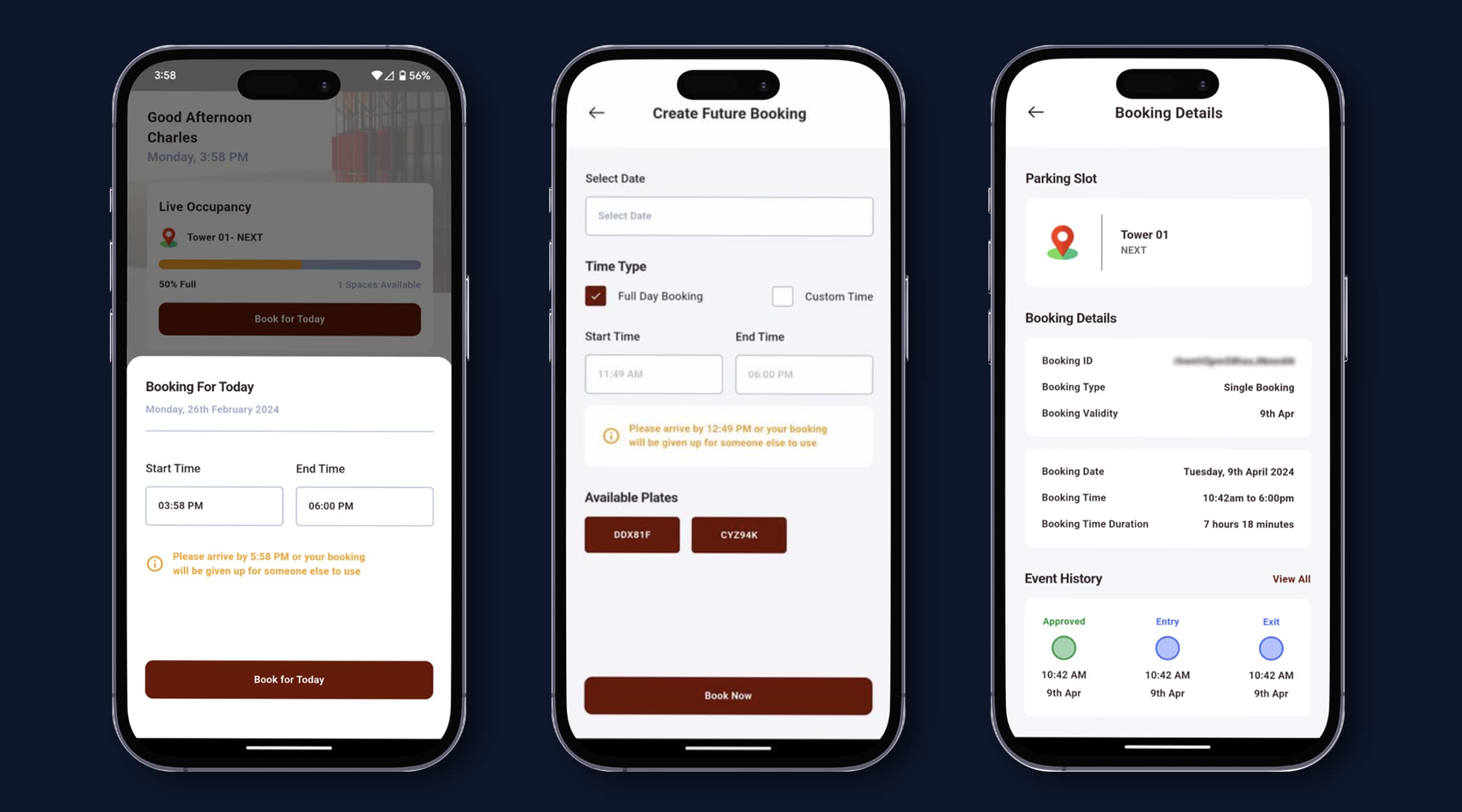
| Staff | Book a bay for a single day or several days, choose the vehicle, and manage their own plates |
| Tenant administrators | Manage their organisation's users, bookings and reports |
| Property or facilities team | See live occupancy, bookings and alerts across the whole site |
From booking to parked
- A tenant or staff member books parking. The rules engine validates the request and approves or rejects it straight away.
- The vehicle arrives and ANPR cameras read the licence plate automatically.
- The vehicle is matched to its booking and checked against the facility's rules.
- Every event is logged with a timestamp and photo. Violations trigger an alert.
What to settle before you start
- Decide the model and the rules first. Software will enforce a bad policy as faithfully as a good one.
- Decide what happens to people who need a bay for accessibility or safety reasons, and build that in as an assigned bay or a priority rule.
- Cameras need a clear view of plates at every entry and exit.
- Number plates have to be collected and kept current. The system is only as good as its plate list, which is why tenants manage their own.
- Tell people. Plate recognition belongs in your car park signage, building rules and privacy notice.
Common questions
What is an employee parking management system?
It is software that allocates a limited number of parking bays among staff, usually through booking, and checks that the bays are used as booked. It replaces permanent bay assignments and spreadsheets with self-service booking, rules and live occupancy.
How do you allocate staff parking fairly?
Make bays bookable, limit how often and how far ahead any one person can book, and apply the same rules to everyone. Reserve assigned bays for the few roles or people who need a guaranteed space.
Can staff book parking themselves?
Yes. ParkEase provides self-service booking, including single and multi-day bookings, and staff manage their own vehicle details. The rules engine approves or rejects each request against the policies you have set.
How do you know the right person parked in a booked bay?
ParkEase uses ANPR cameras to read the licence plate when a vehicle arrives, matches it to the booking and logs the event with a photo. A vehicle without a valid booking triggers an alert.
Can some people have priority?
Yes. ParkEase supports VIP users with priority access and VIP bookings with capacity protection, so priority for a few does not use up the bays everyone else relies on.
Ready to Start Your Automation Journey?
Our team is ready to discuss how our AI solutions can address your specific business challenges.
sales@ddilabs.ai
Location
Sydney, Melbourne, Brisbane