
Multi-tenant parking
Tenant parking management for commercial buildings
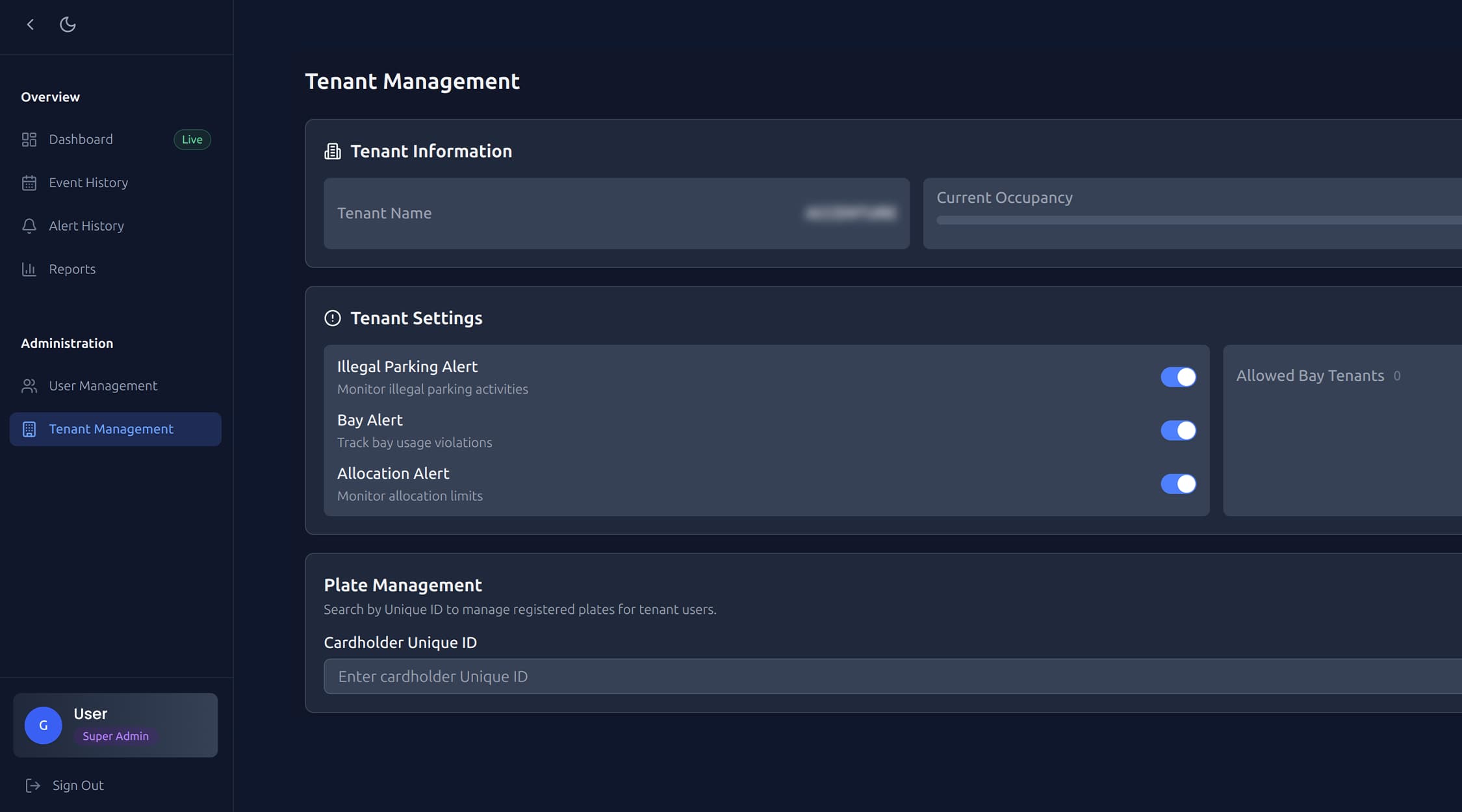
Tenant parking management is how a multi-tenant building shares a fixed number of bays between businesses: who gets how many, who is using them, and what happens when someone goes over. ParkEase tracks each tenant's allocation against live use, lets tenants manage their own people and bookings, and alerts the property team to breaches.
Why shared car parks cause disputes
- Allocations live in leases and spreadsheets, not in anything the car park can check.
- Nobody can see who is actually using which bays, so every complaint is one tenant's word against another's.
- Unauthorised vehicles take allocated bays and are only noticed when someone cannot park.
- The property team becomes the referee, by email.
What a tenant parking system has to answer
| Question | What ParkEase provides |
|---|---|
| How many bays does each tenant have? | Allocation tracking per tenant, with tenant-specific limits and schedules |
| Who is parked right now? | Real-time occupancy by building and by tenant |
| Is a tenant over its share? | Alerts when tenants approach or exceed their limits, and allocation breach warnings |
| Whose vehicle is that? | Every vehicle event logged with a timestamp and camera snapshot |
| Who updates a tenant's staff and plates? | Tenant administrators manage their own users, bookings and reports |
| What happened last month? | Vehicle event history, violation and alert summaries, and downloadable PDF reports |
How it works day to day
- A tenant or staff member books parking. The rules engine validates the request and approves or rejects it straight away.
- The vehicle arrives and ANPR cameras read the licence plate automatically.
- The vehicle is matched to its booking and checked against the facility's rules.
- Every event is logged with a timestamp and photo. Violations trigger an alert.
Who sees what
This split is what removes the property team from routine changes. A tenant adds a new starter's plate; the property team sees the result, not the request.
| Role | Access |
|---|---|
| Property managers | Full access across all locations and tenants |
| Tenant administrators | Their own users, bookings and reports |
| Staff and users | Self-service booking and their own vehicle details |
Policies you can set
ParkEase has 13 configurable rule types, including booking limits, future booking windows, grace periods, early arrival allowances, weekend policies, guest permissions and multi-day booking controls. Rules are configured without code and enforced the same way every time.
What to settle before you start
- Agree each tenant's allocation. Software enforces the number; it cannot settle an argument about what the lease says.
- Cameras need a clear view of plates at every entry and exit.
- Number plates have to be collected and kept current. The system is only as good as its plate list, which is why tenants manage their own.
- Tell people. Plate recognition belongs in your car park signage, building rules and privacy notice.
Common questions
What is tenant parking management?
Tenant parking management is the process of allocating parking bays between the businesses in a building, tracking who uses them and enforcing the limits. Software replaces the spreadsheet with live occupancy by tenant, bookings, rules and alerts.
How do you share parking fairly between tenants?
Start from the allocation in each lease, make actual use visible to everyone, and apply the same rules to all tenants. Disputes mostly come from not knowing who used what. ParkEase tracks allocations per tenant and alerts when a tenant approaches or exceeds its limit.
Can tenants manage their own parking?
Yes. In ParkEase, tenant administrators manage their own users, bookings and reports, and staff book parking and manage their own vehicle details. Property managers keep full visibility across all tenants.
Does ParkEase work with our boom gates?
ParkEase integrates with physical access control systems including Gallagher, so bookings and plate recognition can connect to boom gates and barriers. We confirm the integration for your site before rollout.
Can one tenant use another tenant's bays?
Only if you allow it. ParkEase supports cross-tenant access rules, so sharing between tenants is a policy you set, not something that happens by default.
Ready to Start Your Automation Journey?
Our team is ready to discuss how our AI solutions can address your specific business challenges.
sales@ddilabs.ai
Location
Sydney, Melbourne, Brisbane