
What's New in June: Ask CountIQ for a Report, Recover Missing Data, and Run Parking with Less Admin
June's work across CountIQ and ParkEase completed testing and reached the main platforms through 13 July. The focus was simple: less manual work and clearer decisions for the people running each site.
CountIQ: ask for the report you need
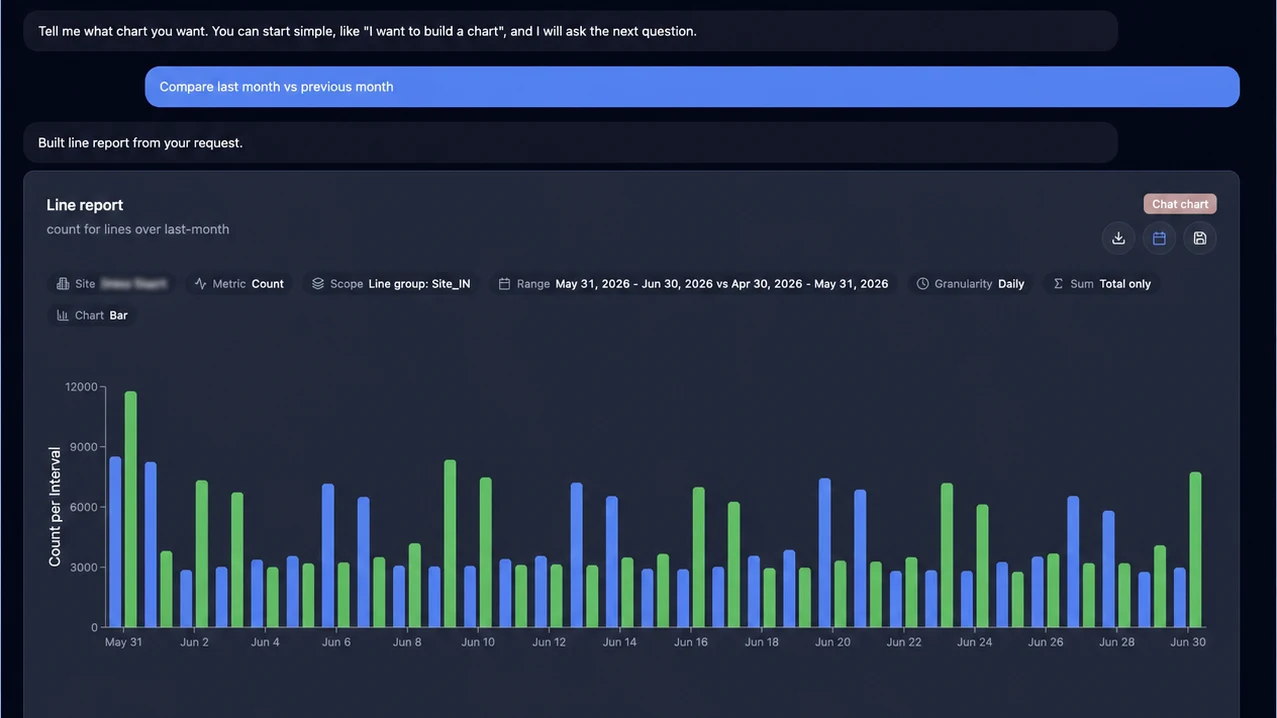
CountIQ's AI-assisted reporting chat lets you describe a result in everyday language. Ask for a date range, comparison, camera, zone, line or line group and it turns the request into a chart. If something is unclear, it asks a focused follow-up instead of guessing. You can also change the date range or chart style by asking for an update to the report you already built.
Prefer controls? The new Basic reporting workspace keeps the common choices together: what to measure, when to measure it and how to display it. Advanced mode is still there when you need more detail.
- Intervals that fit the period. Use shorter blocks for a day, or weekly, monthly and quarterly views for longer ranges.
- Clear partial periods. A week or month that is only partly included is labelled as partial, not shown as complete.
- CSV rows in your order. Scheduled exports can follow the camera, zone or line order your team expects.
CountIQ: find camera gaps and recover data
The Camera Health view now combines current status with 30-, 60- and 90-day history. See which cameras need attention, check how complete your data is, and open a day to review the affected cameras and outage length.
When data is missing, CountIQ can suggest an estimate before you start the review. Use the suggestion or enter a daily total instead of working through every interval. If a camera later reconnects with its real buffered counts, those counts take priority over the estimate, helping prevent double-counting.
ParkEase: make better booking decisions
ParkEase can now assign a suitable bay, check occupancy and time limits, and alert the team when a vehicle is in the wrong bay.
Permanent and reserved allocations update from active recurring and one-off bookings, so the remaining walk-in capacity stays closer to reality. Site teams can also choose whether a full allocation blocks entry or allows a timed grace entry with an alert.
Simpler administration and safer configuration
Tenant records, tower and area pickers, maps, clearance details and role-based access are easier to manage. A controlled cloud-to-edge workflow now handles cameras, bays, areas, tablets and site settings with baseline checks, version tracking and commissioning safeguards. It is being enabled site by site as part of a managed rollout.
The short version
CountIQ makes reporting questions and camera recovery easier to handle. ParkEase takes more of the checking out of bookings, allocations and site setup. Together, the platforms keep the important decisions visible while removing the workarounds that slow teams down.
Using CountIQ?
Share your experience and help other teams choose the right people-counting platform.
Leave a review on CapterraLooking for more information?
Keep exploring related pages on this topic.
Interested in Our Solutions?
Contact us today to learn how our smart tools can help your business improve safety and compliance.
Book a Demo